






Keep your HP DesignJet XT870 24-inch wide-format plotter running at peak performance with genuine OEM HP 738M ink cartridges, HP 739 printheads, and premium media designed specifically for technical document printing, CAD drawings, and high-quality graphics production.
Our comprehensive HP XT870 supplies include HP 738M high-capacity (300ml) and standard (130ml) ink cartridges in all four colors, HP 739 printheads for optimal print quality, and HP-certified photo papers and bond media.
Why choose genuine HP XT870 supplies:
- Maximum reliability — HP 738M pigment-based Flex Tech Inks deliver consistent flow and prevent clogging for uninterrupted production in your 24-inch plotter
- Superior print quality — Explicitly engineered for XT870's thermal inkjet technology to produce sharp 21-second D-size prints with ±0.1% line accuracy
- Revolutionary ink efficiency — Uses up to 95% less ink during printhead cleaning vs. Canon TM-255 and Epson SC-T3405, extending cartridge life and reducing waste
- Local Texas inventory — Same-day or next-day delivery of HP 738M cartridges across Houston, Dallas-Fort Worth, Austin, and San Antonio metro areas
HP DesignJet XT870 Supply Comparison Guide
| Supply Type | Part Number | Capacity | Page Yield |
|---|---|---|---|
| HP 738M Matte Black Ink (Standard) | A24VLA | 130ml | ~430 D-size pages |
| HP 738M Matte Black Ink (High-Cap) | 498Q0A | 300ml | ~1,000 D-size pages |
| HP 738M Cyan Ink (Standard) | A24VMA | 130ml | ~430 D-size pages |
| HP 738M Cyan Ink (High-Cap) | 676M9A | 300ml | ~1,000 D-size pages |
| HP 738M Magenta Ink (Standard) | A24VNA | 130ml | ~430 D-size pages |
| HP 738M Magenta Ink (High-Cap) | 676N0A | 300ml | ~1,000 D-size pages |
| HP 738M Yellow Ink (Standard) | A24VPA | 130ml | ~430 D-size pages |
| HP 738M Yellow Ink (High-Cap) | 676N1A | 300ml | ~1,000 D-size pages |
| HP 739 Printhead | 498N0A | N/A | 18-24 month lifespan |
*Page yields based on 5% coverage per ISO/IEC 24712 standard. Actual yields vary based on print content, environmental conditions, and quality settings.
Quick Selection Guide
- Best for daily CAD printing: HP 738M Matte Black 300ml (498Q0A) — most extended life, lowest cost per page for technical line drawings
- Best for marketing graphics: HP 738M CMY color set 300ml — vibrant output for posters, presentations, and signage
- Best for photo printing: HP Premium Instant-Dry Satin Photo Paper (Q8759A) — smooth tonal gradients, gallery-quality output
- Best for home offices: HP 738M 130ml starter set — economical capacity for occasional printing needs
HP DesignJet XT870 Supplies - Frequently Asked Questions
Quick Answer: HP 738M 300ml cartridges yield approximately 1,000 D-size (24" × 36") pages at 5% coverage, lasting 2-4 months for typical small architecture firms printing 10-15 drawings daily on the XT870.
How long do HP 738M ink cartridges last in the DesignJet XT870?
HP 738M high-capacity 300ml ink cartridges yield approximately 1,000 D-size (24" × 36") pages at 5% coverage per ISO/IEC 24712 standard when used in the DesignJet XT870. For a typical small architecture firm, freelance designer, or home office printing 10-15 D-size technical drawings daily, a single 300ml cartridge lasts 2-4 months depending on coverage density. The standard 130ml cartridges provide 430 D-size pages and are more economical for occasional users who print fewer than 5 drawings per day. Matte Black ink depletes fastest in CAD environments since technical line drawings rely primarily on black ink, while color cartridges (Cyan, Magenta, Yellow) last longer unless you frequently print marketing graphics or color presentations. The XT870's revolutionary ink-saving technology uses up to 95% less ink during printhead cleaning cycles compared to Canon TM-255 and Epson SC-T3405 competitors, significantly extending effective cartridge life and reducing operating costs.
Quick Answer: Replace the HP 739 printhead every 18-24 months or when you notice print quality issues like streaking, banding, or missing colors that don't resolve with standard cleaning cycles.
When should I replace the HP 739 printhead on my XT870?
HP recommends replacing the HP 739 printhead (part number 498N0A) every 18-24 months under normal usage conditions, or sooner if you experience persistent print quality issues. Warning signs that indicate printhead replacement is needed include horizontal streaking or banding across prints, missing colors or partial color output, inconsistent line weights in CAD drawings, or poor black density that doesn't improve after running printhead cleaning cycles. The XT870's built-in diagnostics will also alert you when printhead performance degrades below acceptable thresholds. High-volume production environments printing 100+ pages daily may need more frequent replacements (12-18 months), while occasional users can extend printhead life to 24-30 months with proper maintenance. The HP 739 printhead features 1,376 nozzles per color channel and supports HP's thermal inkjet technology, which delivers precise ink droplet placement, essential for the XT870's fast 21-second D-size printing capability.
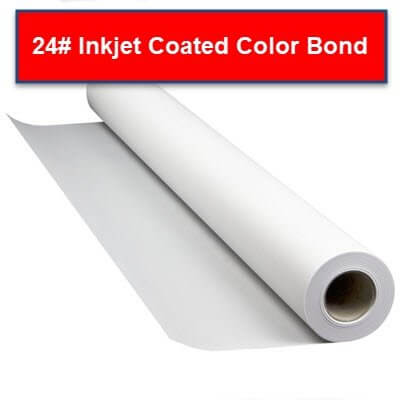
Quick Answer: Use HP Coated Paper (24 lb bond, part C6019B) for technical CAD drawings and line work. For marketing materials and presentations, HP Premium Instant-Dry Satin Photo Paper delivers vibrant colors and photo-quality output.
What paper should I use with the HP DesignJet XT870 for best results?
For technical CAD drawings, architectural blueprints, and engineering documents on the XT870, HP Coated Paper (24 lb bond, part number C6019B for 24" width) provides excellent line sharpness, fast drying times, and durability for handling and markup. This coated bond paper prevents ink bleed and maintains crisp line weights essential for technical documentation. For marketing materials, presentations, and photo-quality graphics, HP Premium Instant-Dry Satin Photo Paper (10 mil thickness, part number Q8759A) delivers vibrant color reproduction, smooth tonal gradations, and professional-quality output suitable for client presentations and display graphics. The XT870 also supports various specialty media, including HP Universal Bond Paper for general-purpose printing, HP Bright White Inkjet Paper for high-contrast technical drawings, canvas for fine art reproduction, self-adhesive vinyl for signage, and polypropylene or PVC banners for retail displays and events. The XT870 accepts media from 14.5" to 24" wide with a thickness up to 11.8 mil. Always select the correct media type in your HPClick software or printer driver settings to optimize ink density and drying times for each paper type.
Quick Answer: Third-party inks void HP's warranty, risk printhead damage costing $400-600 to repair, produce inconsistent colors, and often yield 20-30% fewer pages despite claiming equivalent capacity.
Can I use third-party ink cartridges instead of genuine HP 738M inks?
While third-party inks may appear less expensive upfront, we strongly recommend genuine HP 738M cartridges for several critical reasons. Third-party inks immediately void HP's one-year limited warranty coverage, and printhead damage caused by non-OEM inks can cost $400-600 to repair—the HP 739 printhead (part 498N0A) alone costs approximately $450. Generic inks lack HP's precise formulation chemistry developed specifically for the XT870's thermal inkjet technology, resulting in inconsistent color accuracy, premature printhead clogging, shortened printhead lifespan, and potential firmware compatibility issues. Many third-party cartridges contain less actual ink volume despite claiming 130ml or 300ml capacity, reducing effective page yields by 20-30% and eliminating any cost advantage. Genuine HP 738M pigment-based Flex Tech Inks are quality-tested for optimal viscosity, drying times, water-resistance, fade-resistance, and archival permanence—crucial for technical drawings and documents that must remain readable for years. For businesses where print quality, reliability, and warranty protection are essential—architecture firms, engineering departments, marketing agencies, educational institutions—the risk of using non-OEM inks far outweighs any short-term savings.
Quick Answer: For small offices printing 10-15 D-size drawings daily on the XT870, budget $150-250 monthly for ink cartridges and $12-20 monthly for paper, totaling approximately $162-270 in supplies.
How much does it cost to operate an HP DesignJet XT870 per month?
Monthly operating costs for the HP DesignJet XT870 vary based on print volume and media types but typically range from $162-270 for small offices and home-based architecture firms. For a freelance designer or small firm printing 10-15 D-size (24" × 36") CAD drawings daily (300-450 pages monthly), expect to spend approximately $150-250 on HP 738M ink cartridges. This assumes using high-capacity 300ml cartridges which last 2-4 months for Matte Black ($110-130 per cartridge) and 4-6 months for color cartridges ($95-115 each). Paper costs add $12-20 monthly using HP Coated Paper 24 lb bond rolls ($70-85 per 150-foot roll yielding 60-75 D-size sheets at 24" width). The XT870's exceptional energy efficiency—consuming only 35W while printing and less than 2.5W in sleep mode—adds approximately $3-5 monthly in electricity costs. Revolutionary ink-saving technology uses up to 95% less ink during printhead cleaning cycles compared to competitors, significantly reducing waste and operating costs. Photo-quality printing on HP Premium Instant-Dry Satin Photo Paper increases costs to approximately $1.25-1.75 per D-size sheet. To reduce operating costs, purchase bulk ink cartridge sets for 10-15% savings, use Economy print mode for internal drafts, and leverage the printer's auto-scheduled on/off feature to achieve up to 60% energy savings.
Quick Answer: The XT870 uses revolutionary HPClick™ technology to print multi-size A4/A to A1/D documents in just 3 steps without manual roll-to-sheet switching, plus automatic roll and sheet switching (ARSS) with a 50-sheet auto feeder.
What makes the HP DesignJet XT870 easier to use than other 24-inch plotters?
The HP DesignJet XT870 features revolutionary HPClick™ software (available as both a Windows 11 driver and an app for Windows/Mac) that delivers the world's easiest multi-size printing experience. Independent testing by Sogeti demonstrates that printing a 5-page mixed job with A1 and A3 sizes takes only 3 steps using HPClick versus 11 steps with competitor A and 8 steps with competitor B. The built-in automatic roll and sheet switching (ARSS) seamlessly handles documents from the 50-sheet auto feeder or roll media, without requiring you to manually change media sources. HPClick also provides real-time print preview and automatic error detection before printing begins, reducing wasted materials and time. This combination makes the XT870 ideal for users who need to print various document sizes throughout the day—from standard letter-size documents to full D-size architectural drawings—without workflow interruptions. The compact 43.3" W × 27.1" D × 36.8" H footprint fits perfectly in home offices and small workspaces while delivering ultra-fast 21-second D-size printing at 2400 × 1200 optimized dpi resolution.
Quick Answer: Yes, the XT870 includes built-in Wi-Fi 802.11b/g/n and supports wireless printing from Windows, Mac, iOS, and Android devices using HPClick App, Apple AirPrint, HP Smart App, and Wi-Fi Direct—no cables required.
Can I print wirelessly to the HP DesignJet XT870 from my phone, tablet, or laptop?
Absolutely. The HP DesignJet XT870 provides comprehensive wireless connectivity options for maximum printing flexibility. Built-in Wi-Fi 802.11b/g/n allows the printer to connect to your existing wireless network, enabling printing from any connected device. For Windows and Mac computers, use the HPClick App to send print jobs wirelessly with real-time preview and automatic error detection—or install the HPClick Driver (Windows 11 only) for integrated printing from any application. Mobile device users can print directly from iOS devices using Apple AirPrint (no app installation required), or from iOS and Android devices using the free HP Smart App. Wi-Fi Direct technology enables direct peer-to-peer printing, even without a wireless router—connect your device directly to the printer's Wi-Fi Direct network. The printer also supports printing from Chromebooks with Chrome OS compatibility built in. Additionally, you can print from USB thumb drives by inserting them into the printer's front USB port—useful for printing files without using a computer. This combination of wireless technologies makes the XT870 ideal for modern workflows where team members use various devices but need seamless access to the same printer.
Texas HP DesignJet XT870 Supply Experts: TAVCO offers genuine HP 738M ink cartridges in both 130ml and 300ml capacities, HP 739 printheads, and HP-certified media for fast delivery across Houston, Dallas-Fort Worth, Austin, and San Antonio metro areas. Our certified HP technicians provide expert guidance on supply selection, bulk pricing for high-volume accounts, and preventive maintenance programs to maximize your XT870's uptime and print quality. Call 866-254-8590 for volume pricing, rush delivery, or technical support. Serving Texas professionals since 1984—your trusted partner for authentic HP supplies and expert plotter service.