


Description
Need help installing this? Book a Virtual Tech Session →
Achieve exceptional photo-quality output and reliable high-speed printing with genuine HP 771 DesignJet Printheads, engineered specifically for HP DesignJet Z6200, Z6600, Z6800, and Z6810 photo production printers with HP's precision thermal inkjet technology and intelligent ink delivery optimization.
HP 771 DesignJet Printheads represent the core printing technology in HP's Z-series photo production system, delivering precise ink droplet placement through 1,056 nozzles per color at 1,200 nozzles per inch resolution. Each bi-color printhead works seamlessly with HP 771A Vivid Photo Inks to produce stunning color accuracy, smooth tonal gradations, and professional photo-quality output across applications ranging from fine art reproductions and gallery displays to technical CAD drawings and retail signage.
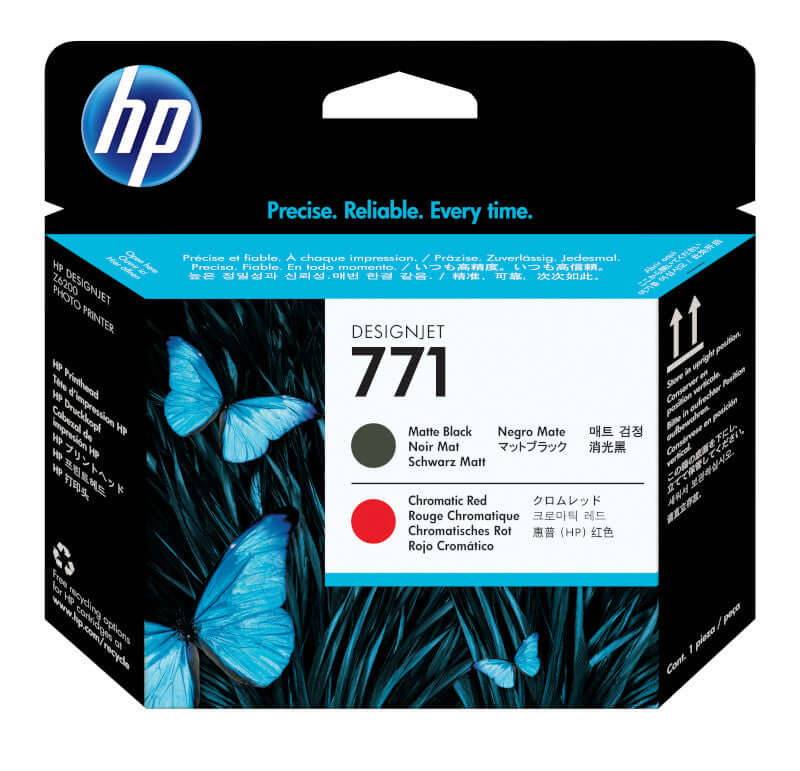
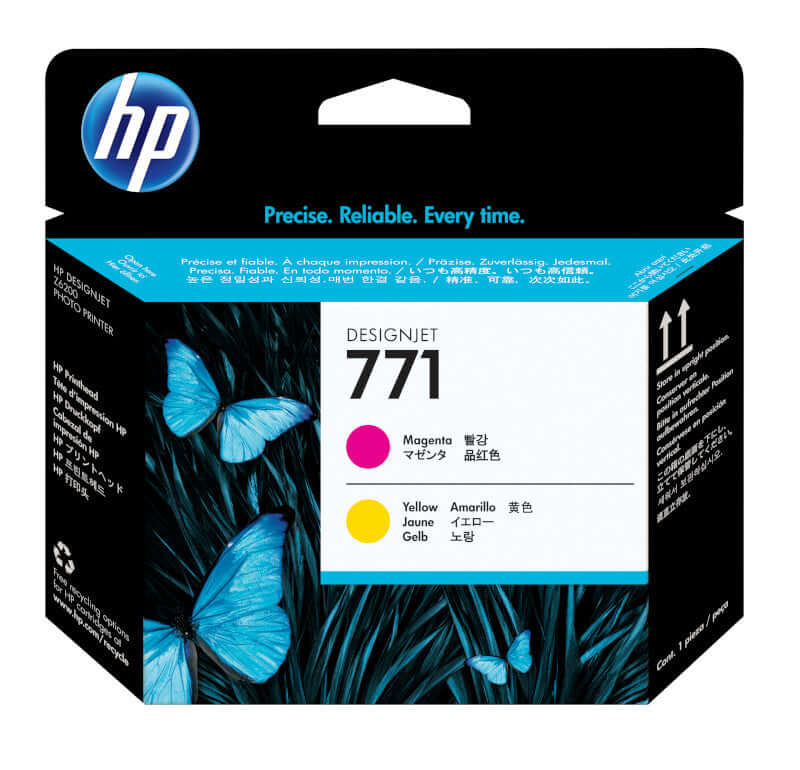
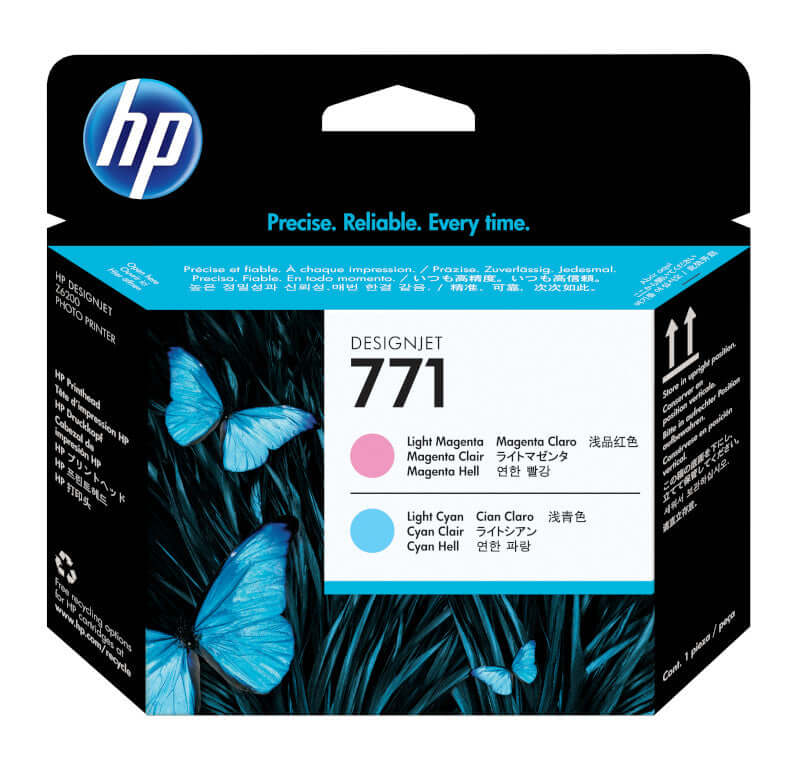
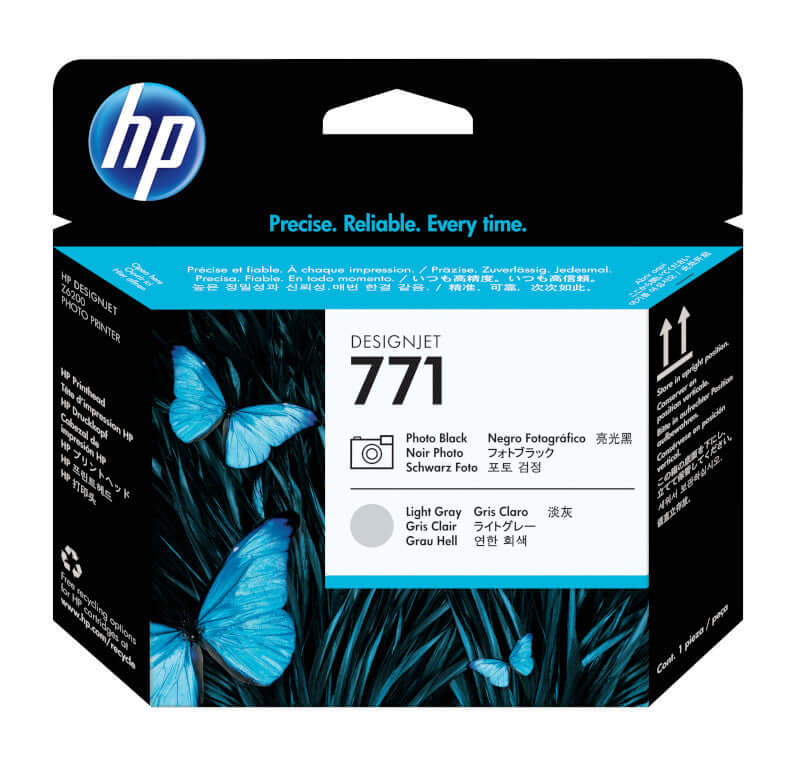
Built-in intelligent technology continuously monitors printhead performance and communicates with your printer to optimize image quality, maximize printhead lifespan, and alert you when replacement is necessary. Ava, communicates with your printer to optimize image quality and maximize printhead lifespan, and alertsilable in four configurations—Matte Black/Chromatic Red (CE017A), Magenta/Yellow (CE018A), Light Magenta/Light Cyan (CE019A), and Photo Black/Light Gray (CE020A)—these genuine HP printheads ensure consistent, reliable performance for Texas photo production professionals demanding uncompromising quality and uptime.
Why choose genuine HP 771 DesignJet Printheads:
- Precision thermal inkjet technology — 1,056 nozzles per color deliver accurate droplet placement at high speeds
- Bi-color design efficiency — Each printhead handles two complementary colors for optimal printing performance
- Intelligent optimization technology — Automatic adjustments maintain consistent image quality and line accuracy
- Wide application versatility — From photo-quality displays to technical CAD drawings and retail graphics
- Built-in performance monitoring — Printer alerts notify you when printhead replacement is required
- Quick replacement process — Tool-free installation minimizes printer downtime during maintenance
- Engineered for HP Vivid Photo Inks — Optimized ink delivery ensures maximum color gamut and permanence
- Genuine HP reliability — Designed specifically for Z-series photo production environments
HP 771 Printhead Configurations & Specifications
| Part Number | Color Configuration | Primary Applications | Compatible Printers |
|---|---|---|---|
| CE017A | Matte Black / Chromatic Red | Enhanced color gamut, vivid reds, technical drawings | Z6200, Z6600, Z6610, Z6800, Z6810 |
| CE018A | Magenta / Yellow | Primary colors, vibrant graphics, photo reproductions | Z6200, Z6600, Z6610, Z6800, Z6810 |
| CE019A | Light Magenta / Light Cyan | Smooth tonal gradations, skin tones, photo quality | Z6200, Z6600, Z6610, Z6800, Z6810 |
| CE020A | Photo Black / Light Gray | Black & white photography, neutral grays, fine art | Z6200, Z6600, Z6610, Z6800, Z6810 |
Technical Specifications
| Product Line | HP 771 DesignJet Printheads |
| Technology | HP Thermal Inkjet (TIJ 4.0) |
| Nozzles Per Color | 1,056 nozzles |
| Nozzle Density | 1,200 nozzles per inch |
| Configuration | Bi-color (two colors per printhead) |
| Print Swath Width | Up to 1.67" (42.5 mm) with dual printhead sets |
| Compatible Ink System | HP 771A Vivid Photo Inks (775ml cartridges) |
| Compatible Printers | HP DesignJet Z6200 42"/60", Z6600 60", Z6610 60", Z6800 60", Z6810 42"/60" |
| Replacement Type | User-replaceable with latching mechanism |
| Performance Monitoring | Built-in intelligent technology with automatic alerts |
| Warranty | HP Limited Warranty - free from defects in materials and workmanship |
| Recycling Program | HP Planet Partners - free prepaid return and recycling |
HP 771 DesignJet Printheads - Frequently Asked Questions
Quick Answer: HP 771 printheads deliver precise ink droplet placement through 1,056 nozzles per color using thermal inkjet technology, creating photo-quality output by coordinating with HP Vivid Photo Inks and your printer's intelligent optimization system.
How do HP 771 printheads work to produce photo-quality prints?
HP 771 DesignJet Printheads utilize HP's advanced Thermal Inkjet (TIJ 4.0) technology to achieve exceptional photo-quality output through precision engineering and intelligent ink delivery. Each bi-color printhead contains 1,056 microscopic nozzles per color arranged at a density of 1,200 nozzles per inch, enabling extremely precise droplet placement at high printing speeds. The thermal inkjet mechanism rapidly heats ink to create precisely controlled vapor bubbles that eject tiny, uniform ink droplets onto media with accuracy measured in picoliters. Built-in intelligent technology continuously moniprintheads, communicating with your DesignJet printer and HP 771A ink cartridges to make automatic,tors printhead performance, communicating with your DesignJet printer and HP 771A ink cartridges to make automatic real-time adjustments that optimize image quality, ensure accurate line reproduction, and maintain consistent color output. This integration between printheads, inks, and printer firmware enables the smooth tonal gradations, vibrant color accuracy, and fine detail reproduction essential for professional photo production, fine art printing, and high-quality technical graphics. The four-printhead system (eight colors total) works together to deliver HP's widest color gamut and most sophisticated grayscale performance.
Quick Answer: Your HP DesignJet printer automatically monitors printheads and displays on-screen alerts when replacement is needed, typically after extended use or when print-quality degradation is detected by the printer's diagnostic system.
When do HP 771 printheads need to be replaced?
HP DesignJet Z-series printers continuously monitor printheads' performance through built-in diagnostic systems that analyze nozzle functionality, ink flow consistency, and output-quality metrics. The printer automatically displays clear replacement alerts when printhead performance degrades below optimal thresholds, when specific nozzles fail or become clogged beyond automatic cleaning capabilities, or when cumulative printhead usage reaches end-of-life parameters. Unlike ink cartridges which deplete predictably based on coverage, printhead lifespan varies significantly based on printing patterns, environmental conditions (temperature and humidity affect nozzle performance), print mode usage (Best mode is gentler on printheads than Fast mode), and maintenance practices including regular printhead cleaning cycles and proper printer shutdown procedures. Professional photo production environments with continuous daily operation may see printhead replacement every 6-12 months, while moderate-use facilities might achieve 12-24 months of printhead life. Never ignore printhead replacement alerts, as continued printing with compromised printheads produces poor quality output, can damage other printer components through ink misdirection, and may void warranty coverage if printhead failure causes secondary damage.
Quick Answer: Yes, all four HP 771 printhead configurations are required for complete color printing. Each handles two specific colors: CE017A (Matte Black/Chromatic Red), CE018A (Magenta/Yellow), CE019A (Light Magenta/Light Cyan), and CE020A (Photo Black/Light Gray).
Do I need all four HP 771 printheads for my DesignJet printer?
HP DesignJet Z6200, Z6600, Z6800, and Z6810 printers require all four HP 771 printheads to function properly and deliver the full 8-color Vivid Photo Ink capability that defines these professional photo production systems. Each printhead handles a specific bi-color pair: CE017A provides Matte Black for dense blacks and text plus Chromatic Red for expanded color gamut in reds and oranges; CE018A delivers Magenta and Yellow as primary colors essential for virtually all color reproduction; CE019A supplies Light Magenta and Light Cyan for smooth tonal transitions and natural skin tone reproduction; and CE020A furnishes Photo Black for neutral black density and Light Gray for subtle grayscale gradations in black-and-white photography. The printer will not operate with missing printheads and will display error messages preventing printing until all four printheads are populated and functional. When replacing printheads due to failure or performance degradation, you typically only need to replace the specific affected printhead rather than all four simultaneously, unless multiple printheads have reached end-of-life together or you're performing a comprehensive printer refurbishment. TAVCO recommends maintaining one spare set of all four printheads for production facilities where printer downtime carries significant cost implications.
Quick Answer: Printhead replacement takes 5-10 minutes per printhead. Open the printhead access door, release the latching mechanism, remove the old printhead, install the new printhead until it clicks securely, close the door, and the printer runs automatic alignment.
How difficult is it to replace HP 771 printheads?
Replacing HP 771 DesignJet Printheads requires no specialized technical training or tools, with the complete procedure taking approximately 5-10 minutes per printhead once you're familiar with the process. Begin by opening your DesignJet's printhead access door (specific location varies by model but is clearly marked), waiting for the printhead carriage to move to its accessible service position, and identifying the printhead requiring replacement. Press the latching mechanism to release the old printhead, carefully lift it straight up from its slot while avoiding contact with electrical connections or nozzle plates, unwrap the new genuine HP 771 printhead from its protective packaging (leaving the protective tape in place until instructed otherwise by on-screen prompts), and lower it into the vacant slot, pressing firmly until you hear and feel a positive click indicating proper seating. Close the printhead access door and follow the printer's on-screen instructions which guide you through protective tape removal and automatic printhead alignment procedures that optimize print quality for the new component. The printer performs automatic test patterns and calibration, a process requiring 10-15 minutes that ensures optimal integration between the new printhead and existing printer configuration. Handle old printheads carefully as they contain residual ink, placing them directly into the protective bag from your new printhead packaging before recycling through HP Planet Partners.
Quick Answer: No, never use third-party printheads. Non-genuine printheads lack proper nozzle precision, void your HP warranty, can cause permanent printer damage, produce inferior print quality, and may contaminate your ink system, requiring expensive repairs.
Can I use third-party or refurbished printheads instead of genuine HP 771 printheads?
TAVCO strongly advises against using third-party, refurbished, or remanufactured printheads in place of genuine HP 771 DesignJet Printheads for critical reasons affecting printer reliability, output quality, and financial protection. Printheads represent the most sophisticated component in your DesignJet printer, requiring nanometer-precision manufacturing tolerances, specialized thermal control systems, and complex electronic integration that third-party manufacturers cannot replicate to HP's specifications. Third-party printheads typically use inferior nozzle fabrication resulting in inconsistent droplet size and placement, lack the intelligent monitoring technology that communicates with printer firmware for optimization, may contaminate your expensive HP 771A ink supply with incompatible residues or debris, and can cause catastrophic printer damage including mainboard failures, carriage assembly problems, and ink system contamination requiring repairs costing thousands of dollars. Using non-genuine printheads immediately and permanently voids all HP warranty coverage, meaning you assume complete financial responsibility for any resulting damage rather than receiving HP's warranty protection. Given that printheads represent a relatively modest expense within overall Z-series operating costs, the extreme risks and virtually certain quality degradation from third-party alternatives make them false economy—professional photo production demands genuine HP printheads to protect your printer investment and maintain client-acceptable output quality.
Quick Answer: The Chromatic Red ink in the CE017A printhead expands the color gamut for more vibrant reds, oranges, and magentas. For standard photo work, all four printheads including CE017A are essential and work together as an integrated 8-color system.
What's the difference between the Matte Black/Chromatic Red printhead and the others?
The HP 771 Matte Black/Chromatic Red printhead (CE017A) serves dual specialized functions within the 8-color Vivid Photo Ink system that distinguish it from the other three printhead configurations. Matte Black delivers dense, neutral black ink optimized for text reproduction, technical line drawings, and applications requiring deep black density on matte and uncoated media, complementing the Photo Black in the CE020A printhead,, which excels on glossy photo papers. Chromatic Red represents HP's proprietary expanded-gamut ink technology that dramatically extends color reproduction capabilities beyond standard CMYK limitations, enabling significantly more vibrant and saturated reds, oranges, and red-biased magentas that approach or match branded color systems and exceed standard photo reproduction capabilities. Together with the other seven inks delivered by the remaining three printheads, Chromatic Red enables the HP DesignJet Z-series to achieve industry-leading color gamut, making these printers particularly valuable for retail graphics, fine art reproduction, brand-critical marketing materials, and any application where color vibrancy and accuracy are paramount. The CE017A printhead is not optional or specialized—it's an integral component of the complete 8-color system, and your printer requires all four printheads including CE017A for normal operation regardless of whether you're printing primarily photographic content, technical drawings, or color-critical graphics.
Quick Answer: Keep unopened HP 771 printheads in sealed packaging at 59-86°F in a dry location until installation. Install printheads within 30 days of opening to ensure optimal performance and avoid nozzle plate exposure to contaminants.
How should I store spare HP 771 printheads?
Store unused HP 771 DesignJet Printheads in their original factory-sealed packaging at stable room temperatures between 59-86°F (15-30°C) in a clean, dry environment away from direct sunlight, extreme temperature fluctuations, and high humidity. HP printheads contain delicate nozzle arrays and sophisticated electronic components that require protection from environmental contamination, temperature extremes, and physical shock. Keep printheads in their sealed foil packaging until you're ready for installation—once opened, printheads should be installed within 30 days to prevent nozzle plate exposure to airborne contaminants, dust particles, or humidity that could affect print quality. Do not store printheads in areas with excessive temperature swings (near loading docks, exterior walls, or direct HVAC airflow), high-dust environments (workshops or production floors without proper storage cabinets), or locations with humidity extremes (basements or areas near water sources). For photo production facilities managing critical deadlines, maintaining spare printheads provides production continuity insurance—while printheads have defined shelf life based on manufacturing dates printed on packaging, properly stored units remain viable for 12-24 months from manufacturing. Used printheads should never be stored for reuse as nozzle contamination and ink drying make reinstallation impractical; instead, place used printheads directly into the disposal bag provided with new replacements and recycle through HP Planet Partners.
Quick Answer: Yes, HP Planet Partners provides free prepaid return shipping for used printheads. Place used printheads in the disposal bags included with replacement units and request free return labels from HP or TAVCO for environmentally responsible recycling.
Can I recycle used HP 771 printheads?
HP offers comprehensive recycling for all HP 771 DesignJet Printheads through the HP Planet Partners program, providing free prepaid shipping and environmentally responsible processing for end-of-life printheads at no cost to customers. When replacing printheads, immediately place used units into the protective disposal bags included with your new genuine HP printheads—these bags contain residual ink and should be sealed to prevent leakage during transport. Visit HP's Planet Partners website or contact TAVCO to request free prepaid return shipping labels, then ship collected printheads to HP's specialized recycling facilities using the provided packaging materials. HP processes returned printheads through facilities that safely extract and dispose of residual inks according to environmental regulations, recover valuable materials including metals and engineered plastics for remanufacturing into new HP products, and ensure proper handling of electronic components containing integrated circuits and sensors. For high-volume photo production facilities generating multiple used printheads monthly, HP offers bulk collection programs with scheduled pickups that simplify logistics and ensure compliance with corporate environmental responsibility initiatives. Participation in HP Planet Partners supports circular economy principles, reduces landfill waste from electronic components, and demonstrates environmental stewardship—factors increasingly important to corporate sustainability reporting and green business certifications valued by Texas commercial print operations and institutional facilities.
Texas HP DesignJet Printhead Experts: TAVCO offers genuine HP 771 printhead configurations with fast shipping throughout Houston, Dallas-Fort Worth, Austin, San Antonio, and nationwide. We recommend keeping complete spare printhead sets for production facilities where print quality and uptime are critical to operations. Call 866-254-8590 for printhead orders, installation scheduling, or technical consultation on print quality optimization.
Payment & Security
Your payment information is processed securely. We do not store credit card details nor have access to your credit card information.